Living Screencast 活体实机录屏
Clawd Moves In·59s·Lemo-Opuscarby Lemomo
A product walkthrough that looks like a real screen recording, where a low-resolution mascot lives inside a high-resolution interface and acts out what the software is doing.
The demo: Clawd, the Claude Code pixel mascot, hops out of the terminal into the Claude app and acts out plan mode, diff comments and self-checks in a one-take screencast.
A product walkthrough that looks like a real screen recording, where a low-resolution mascot lives inside a high-resolution interface and acts out what the software is doing. References (grammar only):
- Screen Studio-style product recordings: auto-zoom to the cursor, cursor smoothing, click push-ins, and a window floating on wallpaper.
- Apple "Guided Tour" videos: real interface, calm narration, one feature per sentence.
- Duolingo and Headspace mascot motion: squash and stretch, anticipation, a character that performs inside the UI.
- The Browser Company (Arc) launch films: playful tone and fast cutting.
Never copy their characters, UI, music or footage.
A walkthrough of a piece of software, typically 45–75 s. The user gives the product and the features; you decide the story, shots, choreography, sound and music.
1. Essence, and what it is not
The film looks like a screen recording of the real product, but it is not a recording. Every window, menu, diff line and button is redrawn in 2D (HTML/CSS/SVG), so the camera can go anywhere, every pixel is controllable and text stays sharp at any zoom.
A mascot made of big square pixels lives in that high-resolution world. The clash of two resolutions, a hard-edged low-res sprite against anti-aliased UI, is the look.
The mascot is the software's agency made visible: when the software reads, it runs along the rows it reads; when it plans, it holds a pixel pencil; when it tests, it stomps the button.
Two actors, never a hand: the cursor is the user; the mascot is the software.
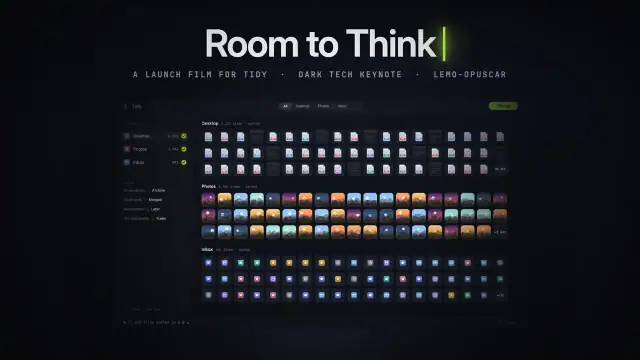
Not a dark tech keynote (no black stage, no invented abstract UI: this is the real product), not a pixel-art game (the world is hi-res vector UI; only the mascot and its props are pixels), not a real capture (nothing is a screenshot).
2. Materials & rendering
- Real UI, redrawn: every label, mode name and shortcut matches the real product; no screenshots, no lorem ipsum. Demo content (code, data, test output) is coherent, and the app under test really changes.
- Pixel grid is sacred: the mascot, its props (pencil, "!", sparkles, heart, dust) and trails share one square-pixel grid with crisp edges. It scales with the camera; its position snaps to half-pixels, so its motion feels stepped.
- Gravity = top edges of UI: the mascot only stands on the top edge of a real element (input box, menu, list row, code line, button, status bar, the letters of a heading). Its position comes from measuring the live DOM every frame, never hand-placed coordinates.
- Window on wallpaper: the app floats on a desktop with a soft shadow; zoom never shows beyond the monitor.
- Depth only where it serves attention: rack focus (blur the pane that doesn't matter), a vignette spotlight. Never blur text the viewer must read.
- Motion blur is derived from camera speed and applied as an anisotropic blur on an untransformed wrapper, only on whips. Slow moves stay sharp.
3. Colour logic
- The product's own interface colours rule: follow its real light and dark themes exactly.
- The mascot keeps the product's or brand's mascot colour, or one saturated hue that no UI element uses, so it finds the eye in any frame.
- Overlays (chapter pill, key HUD, captions) are neutral frosted glass; one accent at most, taken from the product.
- A theme switch can be a story event: the whole film may change state with it.
4. Type & subtitles
- UI type follows the product (or licence-free look-alikes such as Inter, JetBrains Mono, a serif for editorial UIs).
- Information layers only: a chapter pill (01–04), a KeyCastr-style keystroke HUD, frosted-glass caption pills, an optional "▶▶ 4×" time-lapse tag. Nothing else overlays the screen.
- Captions sit in a pill at the bottom, never over the element being discussed and never under the mascot; hold ≥ max(1.8 s, speech + 0.6 s).
- A title, if any, is diegetic: it appears as part of the UI (an empty-state heading, a window title, a notification).
5. Motion quality
- 30 fps; UI on ones; mascot position stepped to its pixel grid.
- Mascot acting: jumps with anticipation crouch, stretch on take-off, tucked legs, landing squash with a damped bounce and dust. Idle breathes (a tiny squash) on the score's beat and blinks irregularly. Walks by leg alternation, flipping the sprite for direction.
- Eyes carry the acting (neutral / left / right / up / down / wide / happy / shut / blink): they look at what matters. Arms: down / up (cheer) / wave.
- Cursor: smoothed, spring-eased paths, small push on click, never teleports.
- Cause and effect: every mascot action triggers a real UI state change; every user action is a cursor move, click or keystroke shown on the HUD.
- UI animates like the real product (its own menus, popovers, diff reveals); don't invent flourishes the product doesn't have.
6. Camera grammar
A recording-software camera: one continuous take inside the screen, zoom ≥ 1, cuts only under chapter transitions. Opening and ending come from the topic.
| Move | What it expresses | Can serve |
|---|---|---|
| Push-in to the cursor or caret | "this is where it happens" | typing a prompt; choosing a menu item; a setting |
| Slow drift at rest | the app is alive while we listen | a line of narration; waiting for a result |
| Whip-pan between panes (with blur) | cause here, effect there | sending a message → a result appearing; code → preview |
| Push-in + vignette freeze | the one promise to remember | a safety guarantee; a price; an undo |
| Rack focus between panes | attention moves, nothing else does | reading files; logs scrolling while chat waits |
| Pull back to the full window | the whole workflow in view | a summary; parallel tasks; before/after |
| Follow the mascot along a list | the software working through items | scanning results; a checklist; a migration |
| Split-window reframe | two things at once | parallel sessions; compare two versions |
Framing: the thing being discussed and its caption never overlap; the mascot never covers text to be read. Transitions: chapter pill wipes, pixel wipes, a theme reveal circle; never dissolves or screenshots.
7. Sound palette
- Two resolutions in the music: a hi-fi layer (piano, upright or electric bass, brushed or tight kit, glockenspiel, real samples) is the world; a chiptune square or pulse voice is the mascot. They can trade, duet or merge.
- Options: a low-passed "night" version of the band for a dark theme; a tom fill and crash at chapter seams; dropping the drums to build tension; the mascot's notes on words it lands on; a stereo split for split screens; a single held pad under a freeze.
- Foley: keyboard (a thock plus a click, human timing jitter), trackpad clicks, pane swishes, popup pops, notification chimes, CI ticks, a shutter for screenshots. Mascot steps, jumps and landings are 8-bit.
- Silence: a short drop to room tone before the key promise makes it land.
- Voice: calm, one feature per line; product names verified with whisper. Keep effects off word onsets. Duck music under voice; −14 LUFS.
8. Native moves
A menu: use the ones your walkthrough needs.
- Match-cut origin. The mascot is born from something already in the UI (a logo's block characters, an icon, a loading spinner) and climbs out, leaving an outline. Fits content like: a CLI tool moving into an app; an icon becoming an assistant; a spinner becoming a helper.
- Diegetic title. The name appears as a real UI element; the mascot lands on it on a downbeat. Fits content like: an empty state; a new-project dialog; a welcome email.
- Moving floor. The mascot rides a caret, a popup, a sent message, a progress bar. Fits content like: a message flying into a thread; an upload bar; a drag-and-drop.
- Time-lapse with a tag. Long work runs at N× with a flashing tag and rack focus. Fits content like: indexing a library; a data import; a build.
- Spotlight freeze. Push in and vignette the one badge that holds the promise. Fits content like: "Saved"; "Encrypted"; "No charges until…".
- The film changes state. A toggle's effect escapes the preview and takes over the whole film, and returns later. Fits content like: dark mode; a language switch; offline mode.
- Cell division. A new session or window splits the screen and the mascot splits with a pixel burst. Fits content like: parallel tasks; multiple accounts; team members.
- Cursor and mascot as characters. The cursor pets, pokes or drags the mascot, and it reacts. Fits content like: approving a suggestion; undoing; onboarding delight.
- Karaoke-ball words. The mascot hops from word to word as they are spoken. Fits content like: a slogan; a shortcut list; step names.
9. Pitfalls of the medium
- Invented features or renamed modes → check every button, mode and shortcut against the product's documentation; if it isn't in the docs, it isn't in the film.
- The mascot floats or drifts off its element → measure the DOM every frame, stand only on top edges.
- The mascot covers text or sits under a caption → reserve a text-free lane for it.
- Blur-filter "fake depth" on text you want read, or zooming out past the screen → rack focus only on panes not being read; zoom ≥ 1.
- A hand, arm or finger on screen → the cursor is the user.
- Motion blur applied to a transformed layer smears the pixel sprite wrong → blur an untransformed wrapper, and only on whips.
- A keypress or pop landing on a product name masks it → shift foley off word onsets; re-check with whisper on the final mix.
- TTS mispronounces the product name → try voices and spellings, verify with whisper.
10. Engine
In demo/: film.js (timeline: VO at fixed times, every visual beat hung on a spoken word with W(id, word), camera moves, Actor mascot segments, Cursor, sound events), ui.js (state → HTML for each interface), clawd.js (sprite grid, poses, pixel props: replace the sprite with your own mascot), main.js (light/dark layers, DOM anchor measurement, motion blur, HUD: captions, keys, pixel wipes, spotlight), sound.py (score, foley and VO from events.json, with ducking). Build notes: DEMO.md.
11. Variation space
You decide the features and their order, the mascot (the product's own, or an original pixel character), the story, the opening, the ending, the camera path, the chapters and the music. All far from our demo:
- Structures: a bug hunt (the mascot chases one error through logs, code and a fix, a single chapter); a day of one user (morning to evening in one app, the theme and music shifting with the hour); a race (two windows side by side, old way vs. new way, the mascot winning on the right).
- Openings: mid-task (a half-written document; the mascot is already pushing the cursor's selection); the notification (a system toast lands; the mascot is inside it); empty state (a blank app, a caret blinking; the mascot drops from the menu bar).
- Endings: the mascot goes to sleep on the finished item as the window dims; the app closes and the mascot is left standing on the dock; a real share (the result is sent and the mascot rides it out of frame).
How our demo was made (story, shots, score, end card, build): DEMO.md. Read it after your treatment exists.
Director's notes for the demo film
One example among many. Don't reuse its story, arc, shots, props or timings.
Demo: Clawd Moves In (59.4 s) · living-screencast.mp4 · source in demo/ (Chinese discussion draft) · Claude Code in the Claude app, with Clawd (the Claude Code pixel mascot) as the protagonist. Unofficial fan film.
Story & structure
Clawd, the Claude Code pixel mascot, climbs out of the terminal logo and moves into the Claude app, then acts out four features in four chapters: 01 Just say it (plain-language prompt with an @-mention, reading files), 02 Plan first (Plan mode; nothing changes until you say go), 03 Review (the diff, a line comment, the revision), 04 Checks its own work (the preview, the dark-mode toggle, parallel sessions). The slogan closes it: "Say it. Plan it. Review it. Ship it." Every interaction was checked against the official desktop documentation.
The brief the demo was made from (the old "six rules", now spread over STYLE.md §1–§6):
| Rule | Why |
|---|---|
| Real UI, redrawn | Every label, mode name and shortcut matches the real product. No screenshots, no lorem ipsum. The demo code, diff and test output are coherent, and the "app under test" really changes. |
| Recording-software camera | One continuous take inside the screen. Push in on the action, drift slightly, and whip-pan between panes. Zoom never drops below 1, so we never see outside the monitor. Cuts happen only under chapter transitions. |
| Pixel grid is sacred | The mascot, its props (pencil, "!", sparkles, heart, dust) and its trails share one square-pixel grid with crisp edges. It scales with the camera. Its position snaps to half-pixels, so its motion feels stepped. |
| Gravity = top edges of UI | The mascot only ever stands on the top edge of a real element: input box, menu, file row, diff line, button, CI bar, the title's letters. Position comes from measuring the live DOM every frame, never hand-placed coordinates. |
| Cause and effect | Every mascot action triggers a real UI state change, and every user action is a cursor move, click or keystroke shown on a KeyCastr-style HUD. |
| Information layers | A chapter pill (01–04), the keystroke HUD, frosted-glass caption pills, and an optional "▶▶ 4×" time-lapse tag. Nothing else overlays the screen. |
Director's toolkit, as the demo spent it (all ten used)
- Match-cut origin story. The terminal logo's quadrant block characters (
▐▛███▜▌) are the mascot's pixels 1:1. Each tall quadrant morphs into a square pixel, and the character climbs out of the terminal, leaving a dashed outline behind. - Diegetic title. The product name drops in as the app's empty-state heading, and the mascot lands on its letters on the downbeat.
- Staging on a moving floor. The mascot follows the typing caret, jumps onto the @-mention popup, and rides the sent message as it flies up the chat.
- Time-lapse with a tag. Reading files runs at 4× with a flashing tag and rack focus: the chat is blurred and the pane is sharp.
- Spotlight freeze. On the key promise ("nothing changes until you say go") the camera pushes in and a vignette isolates the No files changed badge.
- Directional motion blur only on whips. It is derived from camera speed and applied as an anisotropic Gaussian on an untransformed wrapper. Slow moves stay sharp.
- The film itself changes state. The dark-mode toggle's reveal doesn't stop at the preview. The circle keeps growing over the whole app and desktop, and the rest of the film is in dark mode. At the end, the mascot's last stomp brings the light back from its own feet.
- Cell division. The new session splits the window, and the mascot splits into two with a pixel burst.
- Karaoke-ball end card. The mascot hops from word to word of the slogan, landing on each word as it is spoken.
- The cursor and the mascot are characters. The cursor "pets" the mascot on the head: it squashes, closes its eyes, and a heart pops up.
The demo's sprite is an 18×10 grid unfolded 1:1 from the terminal logo's quadrant characters; its props (pencil, "!", sparkles, heart, dust) share that grid.
Shots
| # | Time | Picture / Clawd | Camera / move |
|---|---|---|---|
| 1 | 0:00 | claude typed in a terminal; the logo's blocks come alive and Clawd climbs out, leaving a dashed outline |
locked on the terminal → match-cut origin |
| 2 | 0:05 | The Claude app window opens; Clawd lands on the empty-state heading, the title | diegetic title on the downbeat |
| 3 | 0:09 | 01 typing, @ file popup; Clawd stands on the input box, then rides the sent message | push-in to the caret; moving floor |
| 4 | 0:14 | Clawd runs along the file tree, read rows highlight | 4× time-lapse tag + rack focus |
| 5 | 0:19 | 02 ⇧⌘M mode menu; Clawd on top of the menu watches Plan get picked | push-in on the menu |
| 6 | 0:23 | Plan pane; Clawd writes item 4 with a pixel pencil; No files changed badge | spotlight freeze |
| 7 | 0:29 | 03 +24 −3 stat bar; Clawd cheers on it; the cursor clicks Review |
whip-pan to the diff (motion blur) |
| 8 | 0:32 | Diff: comment on line 6, ⌘↵; Clawd lies on the comment box reading | push-in |
| 9 | 0:37 | The line is rewritten, "!" over Clawd, stats become +13 | locked |
| 10 | 0:42 | 04 preview; Clawd stomps the toggle, dark spreads from the button over the whole app and desktop | the film changes state |
| 11 | 0:50 | ⌘N new session; the window splits, Clawd splits into three (CI green, tests 50/50, new session) | pull back; cell division |
| 12 | 0:56 | End card: karaoke-ball slogan; the last stomp brings the light back from Clawd's feet | locked |
Score structure
- Score in two resolutions. The hi-fi layer (piano, upright bass, drum kit, glockenspiel, real samples) is the world. The chiptune square wave is the mascot's voice.
- Score structure:
- The band enters when the mascot lands on the title.
- Each chapter transition gets a tom fill and a crash.
- The last chapter drops the drums to build tension.
- The dark-mode stomp crossfades the whole band into a low-passed "night" version.
- The split screen becomes a left/right duet (piano left, chiptune right).
- The end-card words are chiptune notes; the final stomp opens the filter on a big major-9 chord.
- Foley: keyboard (a thock plus a click, with human timing jitter), trackpad clicks, pane swishes, popup pops, CI ticks, a shutter for screenshots. Mascot steps, jumps and landings are 8-bit.
- VO: calm, one feature per line, product names verified with whisper. Keep effects off word onsets: a keypress landing on "Start" masked the word.
Tempo ~104 BPM (the treatment's plan). The end-card words are chiptune notes C5 E5 G5 C6 in sound.py.
Mascot timings in the demo: anticipation crouch 0.14 s with squash 0.28; walk at 9 steps/s. The full acting notes:
- Jumps: anticipation crouch (0.14 s, squash 0.28), stretch on take-off, tucked legs in the air, a landing squash with a damped bounce, and dust puffs.
- Idle: a tiny squash on every beat of the score, so the character breathes in time with the music. It blinks at irregular intervals.
- Walk: 9 steps/s leg alternation. The direction flips the sprite.
- Eyes carry the acting: n / l / r / u / d / wide / happy / shut / blink. They look at what matters: the popup, the cursor, the line being revised.
- Arms: down / up (cheer) / wave. Props sit on the same grid.
Voice: Kokoro am_michael, speed 1.0 (other voices read "Claude" as "Clod"). A keypress landing on "Start" masked the word, hence the rule to keep effects off word onsets.
Palette & props
The Claude app's light theme (ink #1F1E1C, clay #D97757, --clay2 #BD5D3A for the stressed slogan word) and its real dark theme after the toggle (ink #EEEAE2, clay #E08565), all as CSS variables in demo/index.html. Clawd in brand clay #D97757 with #B85F40 shading and #2A2622 eyes; pencil yellow #F2C14E, heart #E0543A, check #2F9E4F (demo/clawd.js). Fonts: Inter, Newsreader, JetBrains Mono (OFL). The "app under test" is a small tomato-timer project (~/tomato-timer); the UI shows the model name as it appeared in the app.
Rights. Unofficial fan film: it uses the official Claude Code mascot and redraws the Claude app's interface closely. The end card says "Unofficial fan film". A user's film should show their own product and mascot, or an original pixel character.
End card
Clawd hops across "Say it. Plan it. Review it. Ship it." word by word as it is spoken (Newsreader 64 px, the last word in clay italic), then "Claude Code · in the Claude app" and a small credit line (film.js, end-card function): "LemoLab × Claude Opus 5.5 · Unofficial fan film · Voice · Fonts", plus the sample credits (Salamander Grand Piano V3, MuldjordKit, Versilian Studios, Karoryfer). The "LemoLab × Claude Opus 5.5" sign-off belongs to this library's demo only; a user's film carries no LemoLab credit and no copy of this card (remove that line when adapting film.js).
Build notes
demo/film.jsis the timeline. VO lines are placed at fixed times, and every visual beat hangs off a spoken word (W(id, word)). It holds the camera moves, theActor(mascot) segments, theCursor, and the sound events.demo/ui.jsturns state into HTML for the terminal and the Claude app.demo/clawd.jsholds the sprite grid, poses and pixel props.demo/main.jshandles the light and dark layers, DOM anchor measurement, motion blur, and the HUD (captions, keys, pixel wipes, spotlight).demo/sound.pybuilds the score, foley and VO fromevents.json, with ducking.- Run everything with
sh styles/living-screencast/demo/build.sh. The full render takes about 30 s.
Other files: demo/lines.json (VO lines), demo/tools/asr_check.py (whisper check + word timestamps, sh demo/build.sh --vo), demo/tools/mixcheck.py, demo/tools/subs.mjs (captions → .srt), storyboard/ (the pre-production storyboard page and contact sheet). build.sh also renders the style frame (40.9 s) and the poster (8.9 s).
Don'ts we wrote for this demo (now STYLE.md §9):
- Don't invent features or rename modes. If a button isn't in the docs, it isn't in the film.
- Don't let the mascot float in empty space, cover text the viewer should read, or sit under a caption.
- Don't use screenshots, blur-filter "fake depth" on text you want read, or zoom out past the screen.
- Don't put a hand, arm or finger on screen. The cursor is the user.